
How to Download Facebook Videos on Mobile Devices (iPhone & Android)
Save public Facebook watch broadcasts, mobile live recordings, and short reels without losing audio synchronization on tablets and iOS Safari.
Resolving Mobile Facebook Watch Streams
Mobile users represent over 90% of Facebook's video viewing base. But saving watch broadcasts, fb.watch short-links, and page reels has historically required suspicious third-party downloads or ad-riddled malware browsers.
Here, we outline the cleanest web-based method for mobile platforms.
The Android Workflow (Chrome / Brave)
On Android devices, downloading parsed streams is extremely streamlined:
- Tap Share below the Facebook video post.
- Select More Options and tap Copy Link.
- Launch your browser (Brave or Chrome) and navigate to TopVideoDownloader.
- Paste and click Download — select standard high quality output to trigger instant native file download alerts.
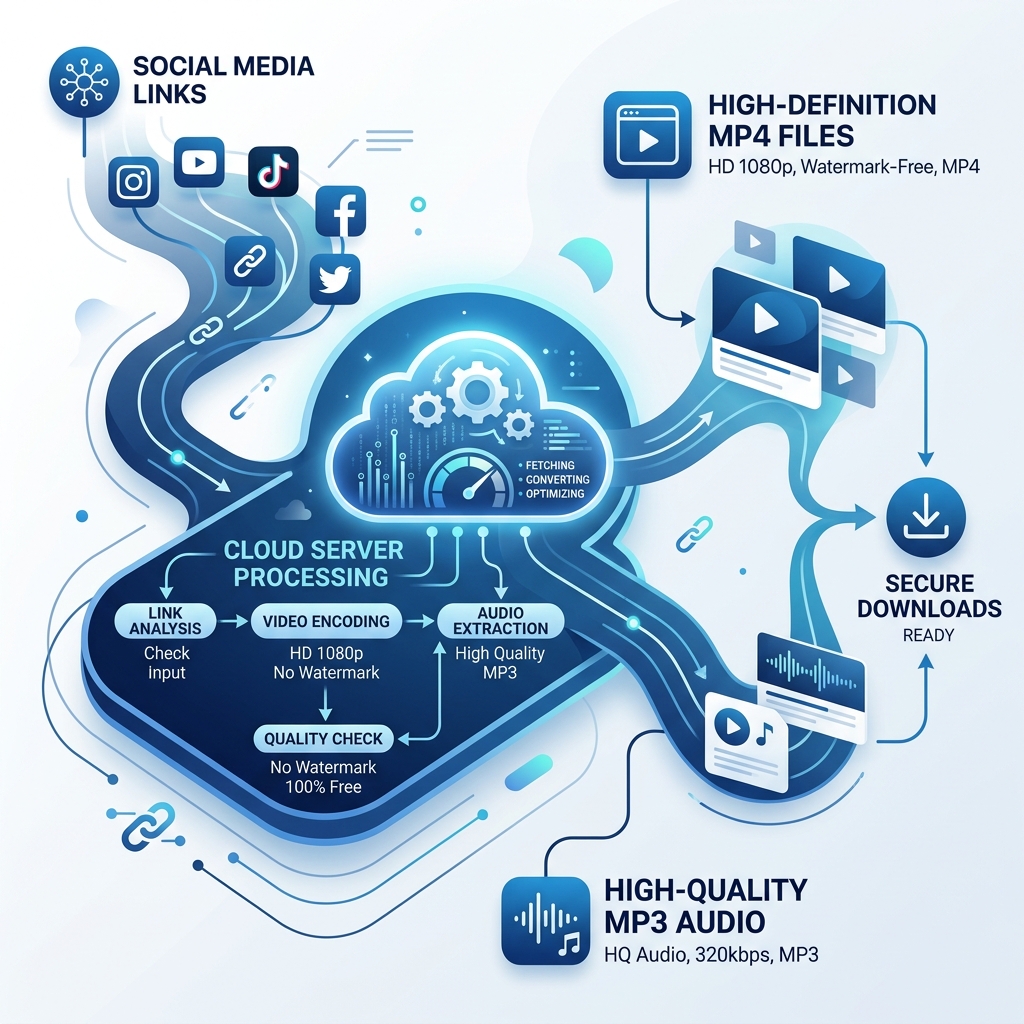 High-Speed Cloud Media Link Converter
Container Selection: MP4 vs. MP3 Audio
Choosing the correct output container matters for storage efficiency. While full high-definition video is great for visual learning, audio-only extraction is perfect for sports coaching or cooking recipes.
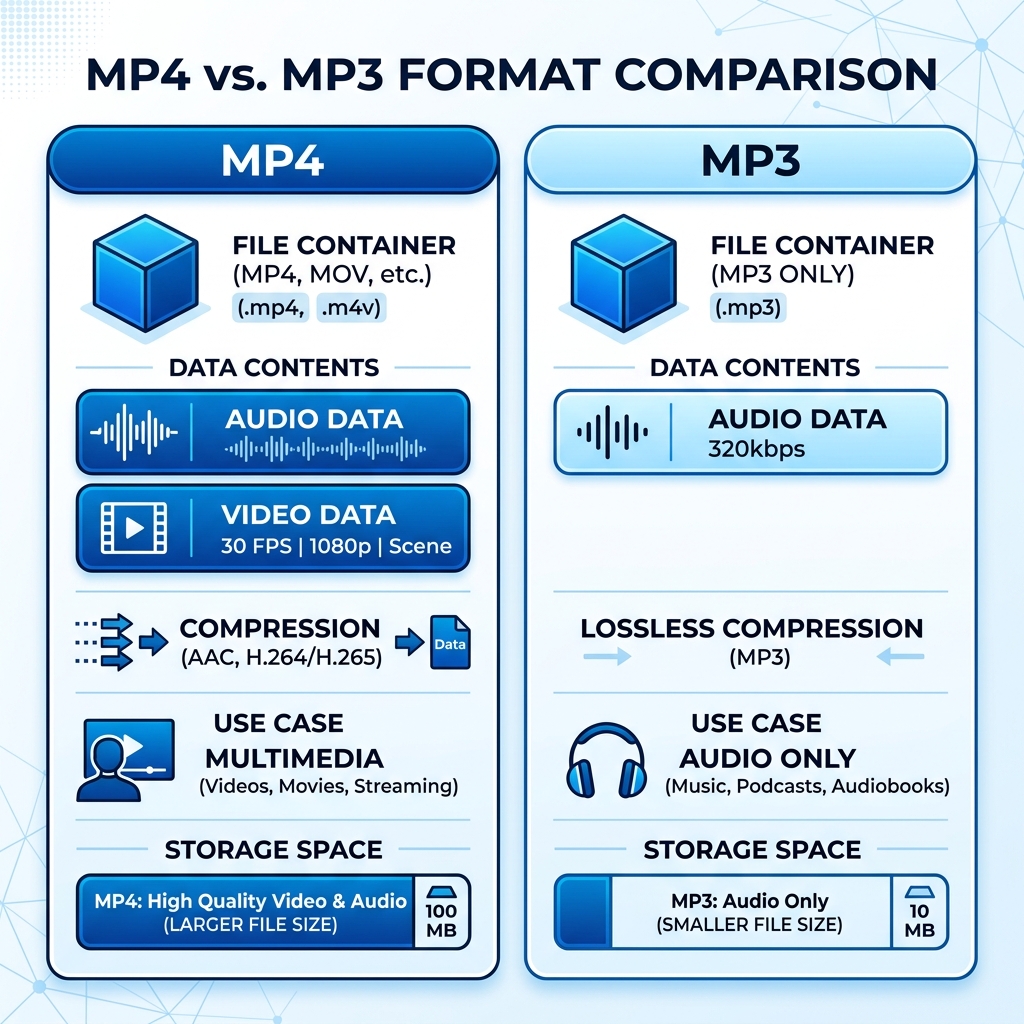 MP4 Video and MP3 Audio Containers Comparison
Is it Legal to Download Facebook Videos?
Archiving video content for personal reference (e.g. baking instructional guides, workout loops, design webinars) is covered under fair-use provisions for personal educational archives. Re-uploading or commercializing external content without explicit author consent is strictly prohibited.
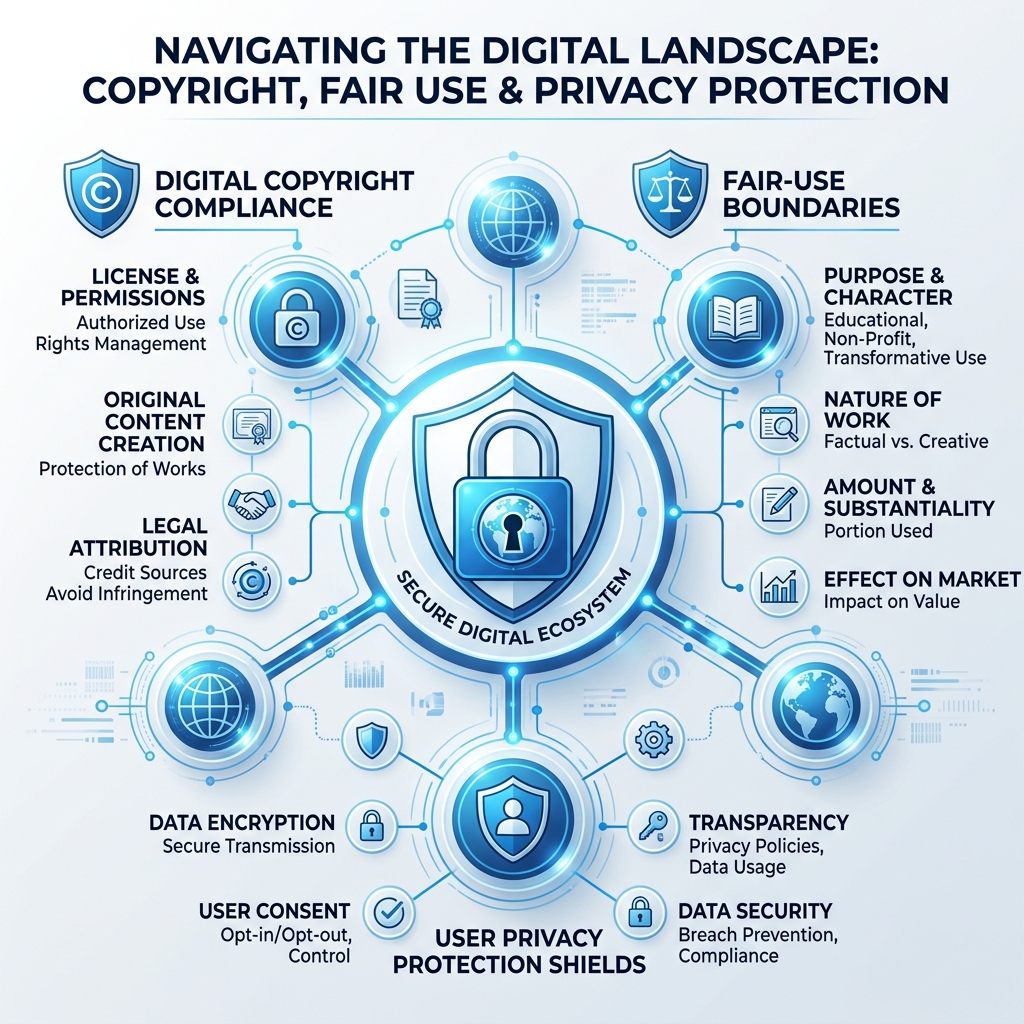 Fair Use and Personal Archiving Legal Safeguards